1
Camera Serial Number
The camera serial number can be found in the following locations:
On the camera itself
Printed on a label on the device
On the camera box
Printed on the packaging label
In the Toolbox (web interface)
After logging in, go to Settings → System & network → System
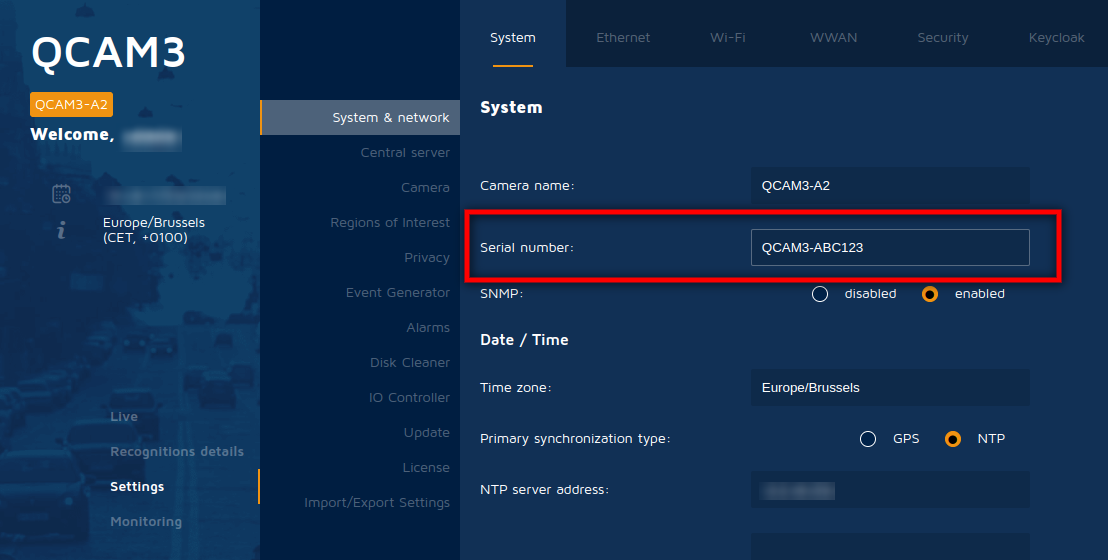 Serial number field in the Toolbox — Settings → System & network
2
License Serial Number
The License serial number can be found in the Toolbox after logging in.
Settings → License
The serial number is the number displayed between square brackets [ ]
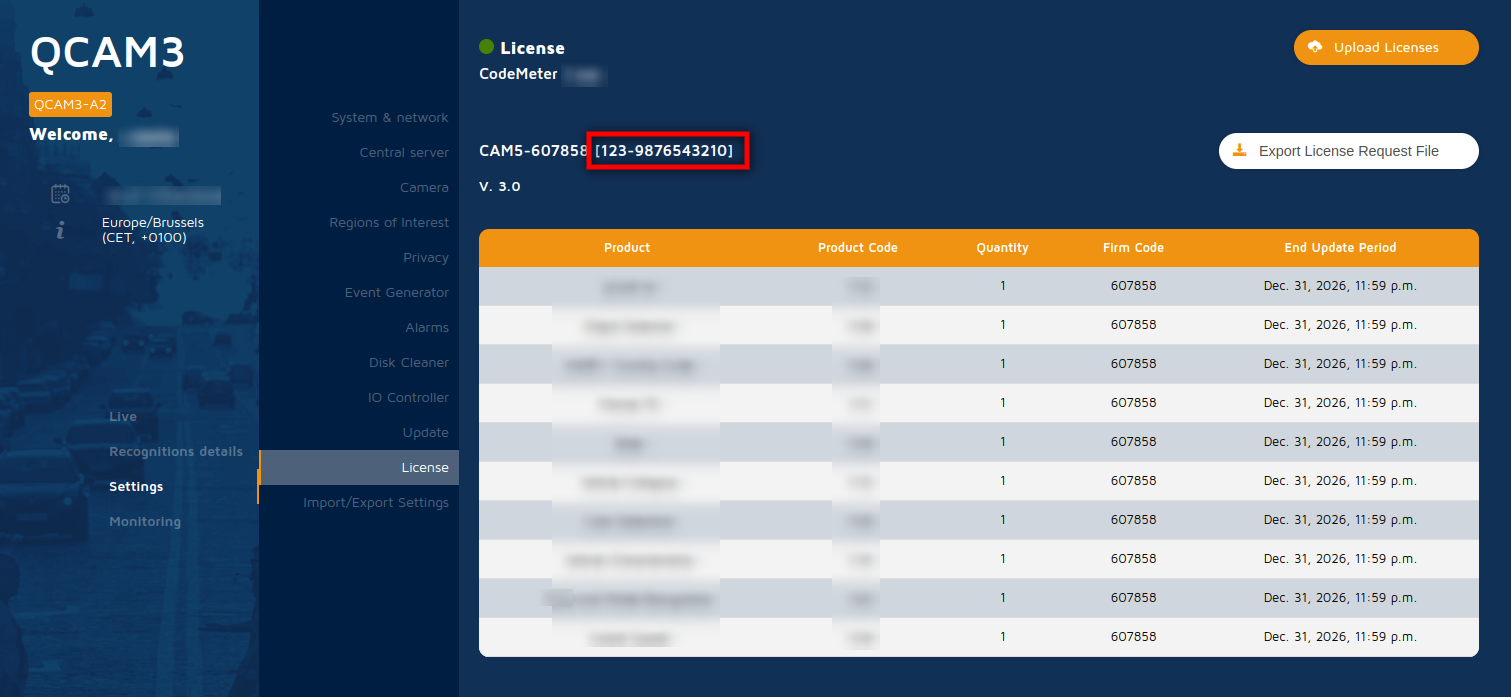 License serial number in the Toolbox — Settings → License (number in brackets)